

Getting started with Keboola
Build one working, scheduled pipeline: load six tables, join them with SQL, ask the result a question, publish it as an app, and have it rebuild itself every morning.
This guide builds one pipeline end to end and answers one question with it:
Which day next week will leave a café short-handed?
Six café branches, a summer of sales, the rosters that served it and the weather each day: five files, none of which answers alone. The sixth table is next week’s forecast, fetched live from a public API that needs no account, which is why the answer is different every morning.
What you get
Section titled “What you get”| Step | What happens | Keboola calls it | Minutes |
|---|---|---|---|
| Get a project | a place for everything below to live | a project | 5 |
| Get your data in | five CSV files and a live forecast become six tables | a data source connector | 15 |
| Transform data | SQL joins them into one table: a café, a day, the demand to expect, the crew rostered, a flag | a transformation | 15 |
| Ask a question and get an answer | the question, answered out of that table in plain words | Kai reading your data | 5 |
| Put it in front of someone | a grid of six cafés by seven days, red where it will hurt | a data app | 15 |
| Make it run every morning | all of it re-runs on the new forecast and tells you if it breaks | a flow | 15 |
| Check it worked | what Storage and Jobs should show, and the failures that happen | — | 5 |
Everything happens in the browser; nothing needs installing, and a free project covers all of it. Read the steps in order, or land on any one of them: each says where you should be, what it needs, and how to tell it worked. The Next control at the foot of every page follows this order.
How every page works
Section titled “How every page works”Every page with a task on it offers that task three ways, and your choice follows you from page to page:
- Prompt — paste it into Kai, the assistant in the project’s top bar, and watch it build. Kai asks before it changes anything: one approval per object it creates, while questions that only read do not ask. An organization admin switches the feature on; see Get started with Kai.
- UI — the same task click by click, for when you want to see where each setting lives.
- CLI / API — the same task from a terminal with kbagent, and the raw request beside it where there is no command for it.
Pick a tab once and every page after it opens on the same one:
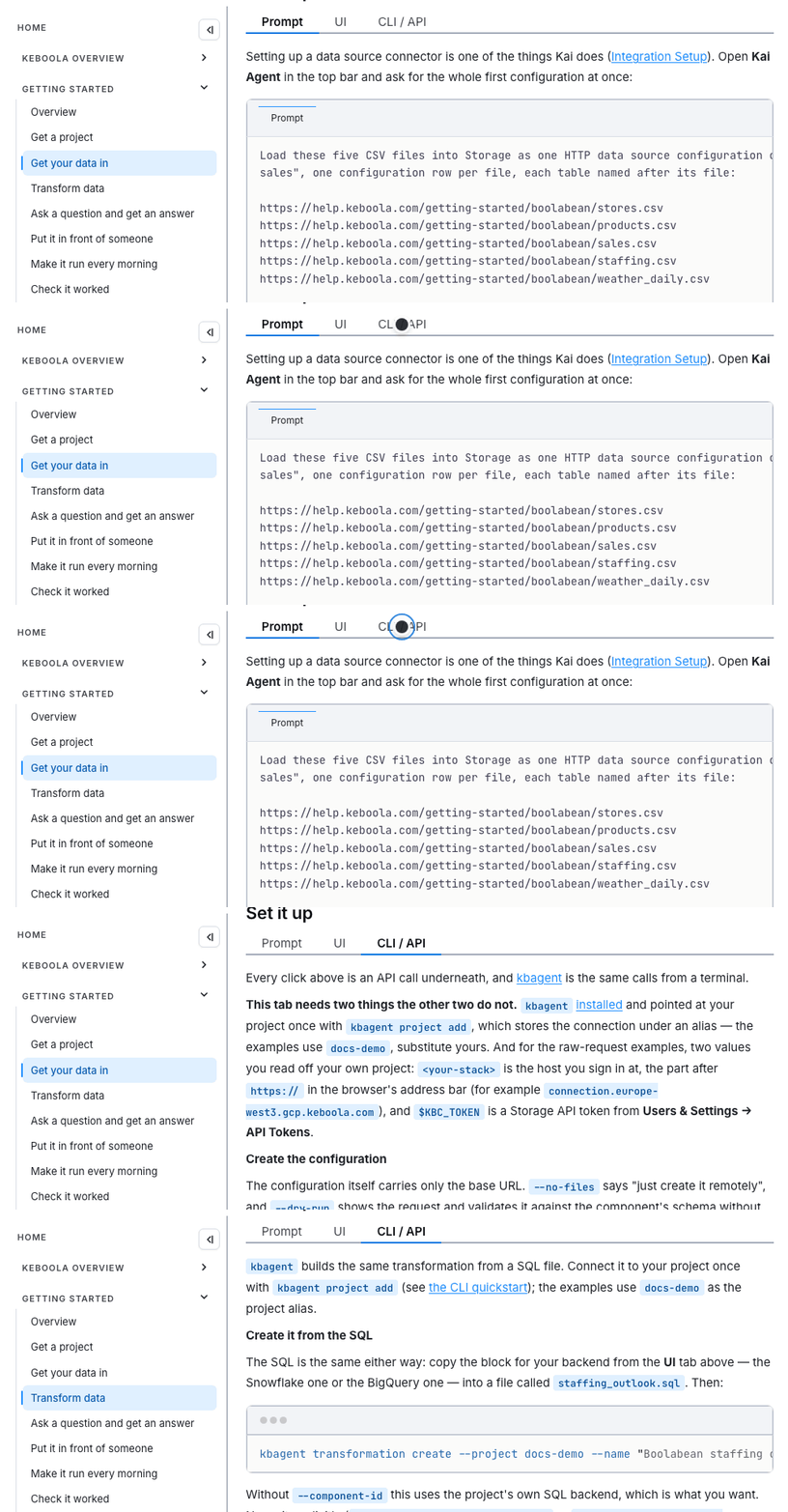
Where one of the three cannot do the job, the page says so rather than showing an empty tab. A signup form, a Google consent screen and a branch merge are all decisions a browser has to make.
Nothing here is one-way: if a step builds something other than what the page describes, say so in the same Kai chat, or edit the configuration by hand.
Where to start instead
Section titled “Where to start instead”This guide is the browser path. Three others start from the same place:
| Quickstart | Description |
|---|---|
| This guide | Build a scheduled pipeline and a data app in the browser, prompt first. |
| kbagent CLI | The same operations from a terminal, scriptable and agent-friendly. |
| MCP server | Connect your own AI assistant or IDE to a Keboola project. |
| Build an app with Kai | Go straight to a data app on data you already have. |
Going further
Section titled “Going further”Optional side trips, once the main path makes sense. None of them are needed to finish the guide:
- Send a table to Google Sheets delivers the result to where people read it. It needs a Google account you can authorize.
- Load from Google Sheets and from a database load from a source that needs credentials rather than from a public URL.
- Use a workspace is where you develop and test SQL against a copy of your data before committing it to a transformation.
- Ad-hoc data analysis explores data in a Python or R notebook instead of building a pipeline.
- Development branches change a running project safely: make the change, review the diff, then merge.
If you are planning a rollout, not learning the tool
Section titled “If you are planning a rollout, not learning the tool”This guide is for one person building one pipeline. For introducing Keboola to a team, with project architecture, a data model, naming conventions and governance, start with Platform Onboarding instead.